Current Position : Acebyte > Acebyte Utilities >Acebyte Utilities Help
Acebyte Utilities help
Computer control: Shutdown Scheduler, Process Manager, File Splitter, File Encryption, Unlocker.
Step 1: After launching Acebyte Utilities, click to enter Utilities box.
Step 2: Under Utilities box, click Control to show computer control items.
Shutdown Scheduler: Shut down your computer automatically at a specified time by scheduling power management tasks.
Process Manager: Display all currently running programs info on your computer.
File Splitter: Split large files into several clips and easily rejoin them into one.
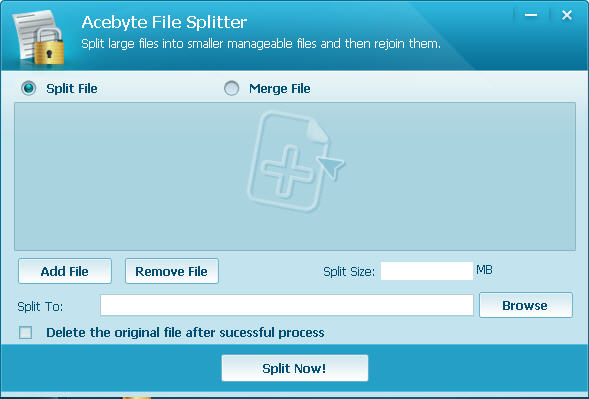
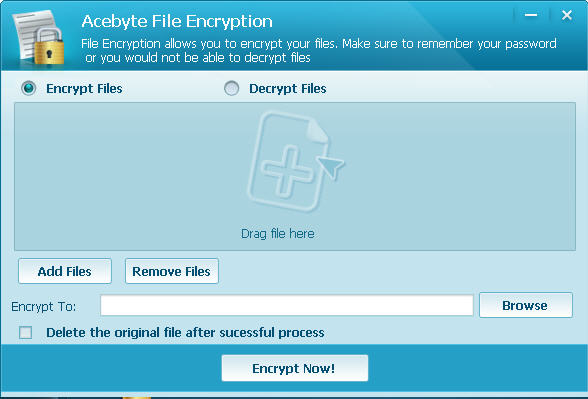
File Encryption: Encrypt your indicated files to protect your privacy and decrypt them freely.
Unlocker: Allow to unlock files or folders locked by system or other programs and help to rename, move or delete locked resources

Acebyte Utilities
Register Cleaner
Useful Links
Hot Tags
Acebyte | Affiliate & Partners | Links | Sitemap | Privacy | Terms of Use | Contact us
Copyright © Acebyte. All rights reserved
Copyright © Acebyte. All rights reserved