Current Position : Acebyte > Acebyte Utilities >Acebyte Utilities Help
Acebyte Utilities help
PC Optimization: Optimize your PC conveniently via smart tools:Memory Manager, Startup Manager, Disk Defragment, Registry Defrag and Uninstall Manager.
Step 1: After launching Acebyte Utilities, click to enter Utilities box.
Step 2: Under Utilities box, click Optimize to go to menu below:
Note: The items you used recently will be displayed under "Recently" item.
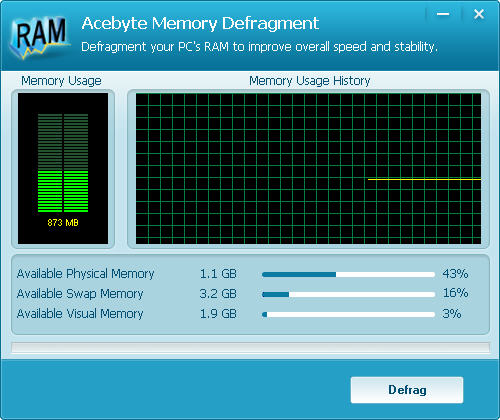
Memory Manager: Manage your PC RAM to improve its overall speed.
Startup Manager: Quick access to manage your auto running programs with Windows Startup.
Disk Defragment: Defragment any part or several parts of your hard disks easily to improve your computer performance.
Registry Defrag: Keep your registry defragmented and improve your computer performance by freeing up memory your registry takes up
Uninstall Manager: Easily uninstall all unwanted or large programs on your computer permanently.
Acebyte Utilities
Register Cleaner
Useful Links
Hot Tags
Acebyte | Affiliate & Partners | Links | Sitemap | Privacy | Terms of Use | Contact us
Copyright © Acebyte. All rights reserved
Copyright © Acebyte. All rights reserved